Does any agent need you?
Cowboy watches the coding agents on your machine and answers that one question from your phone. Glance, reply with a tap when it matters, put the phone away.
See it, answer it, done.
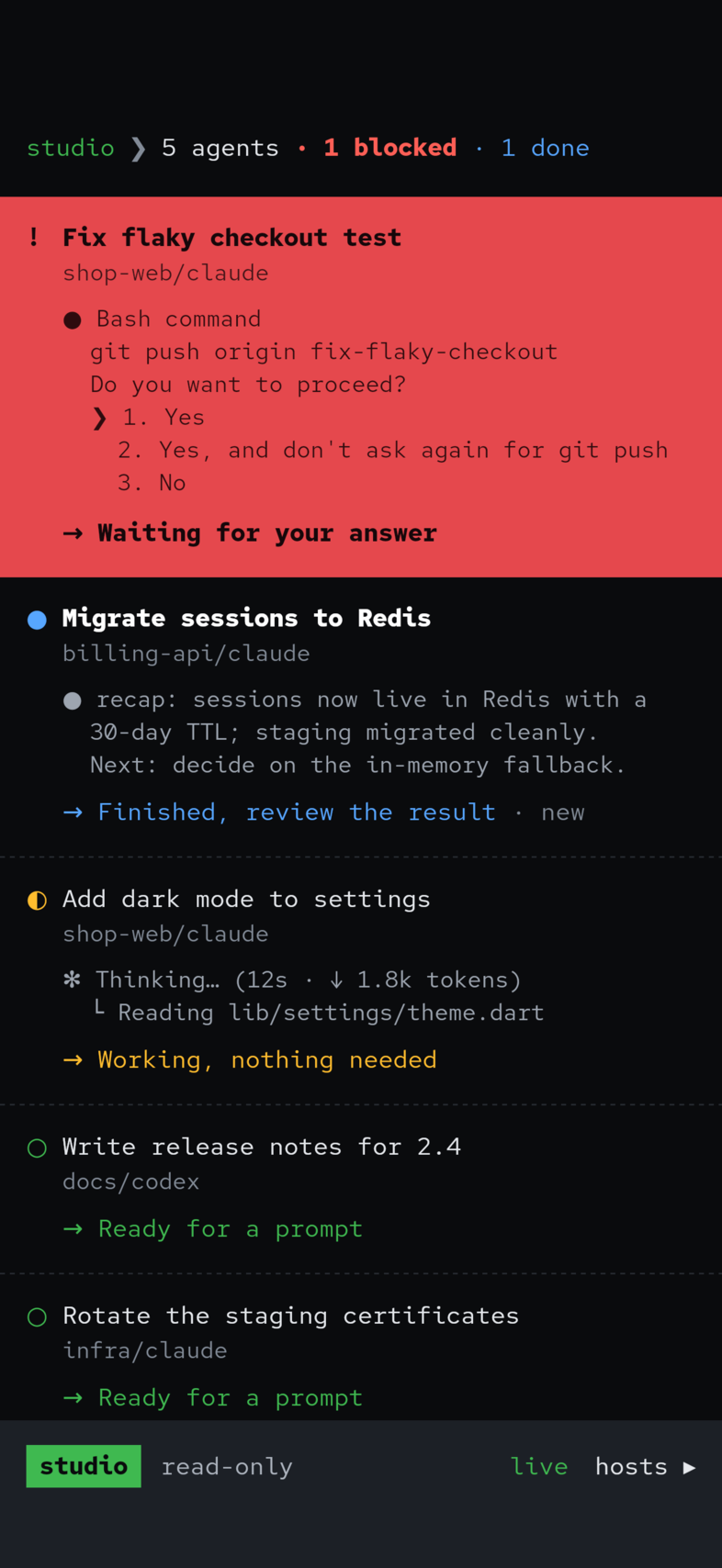
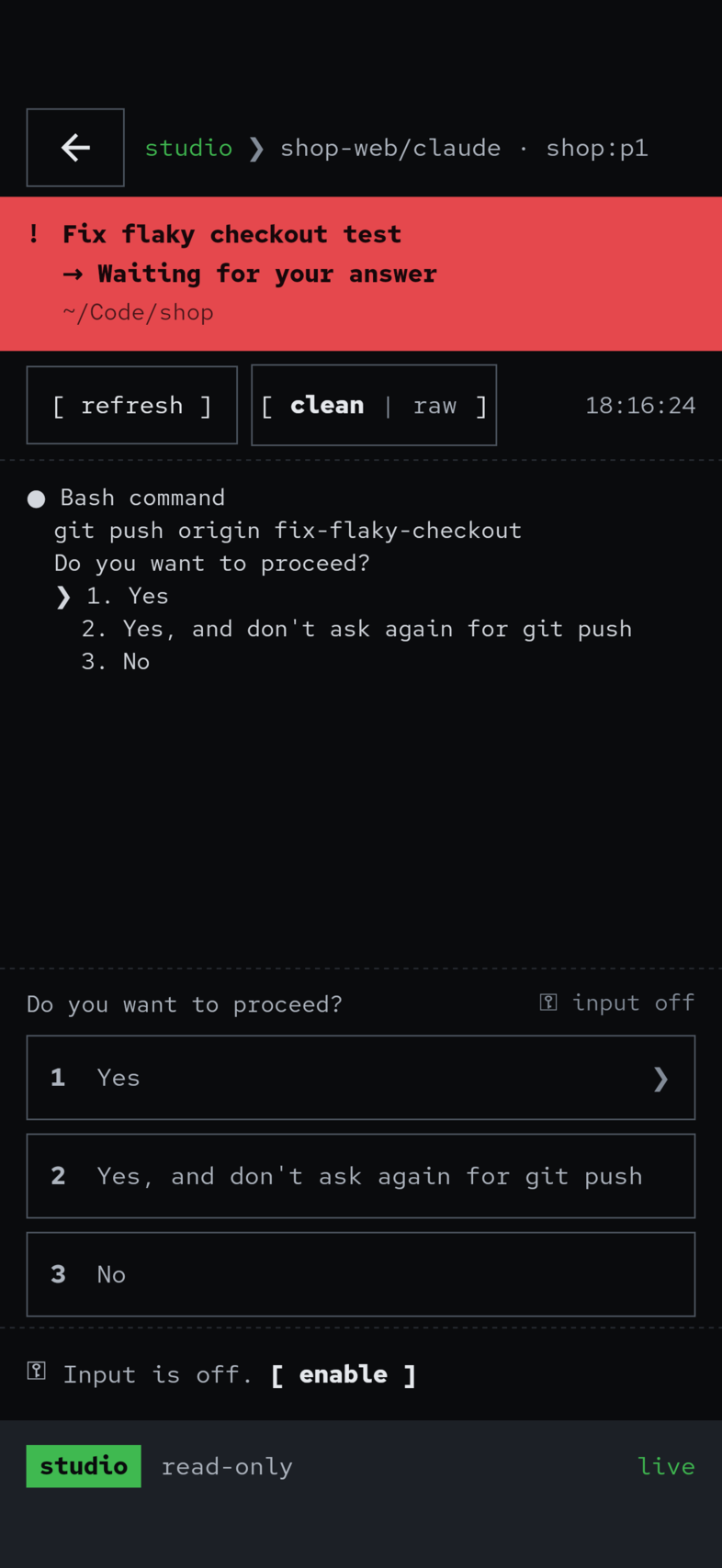
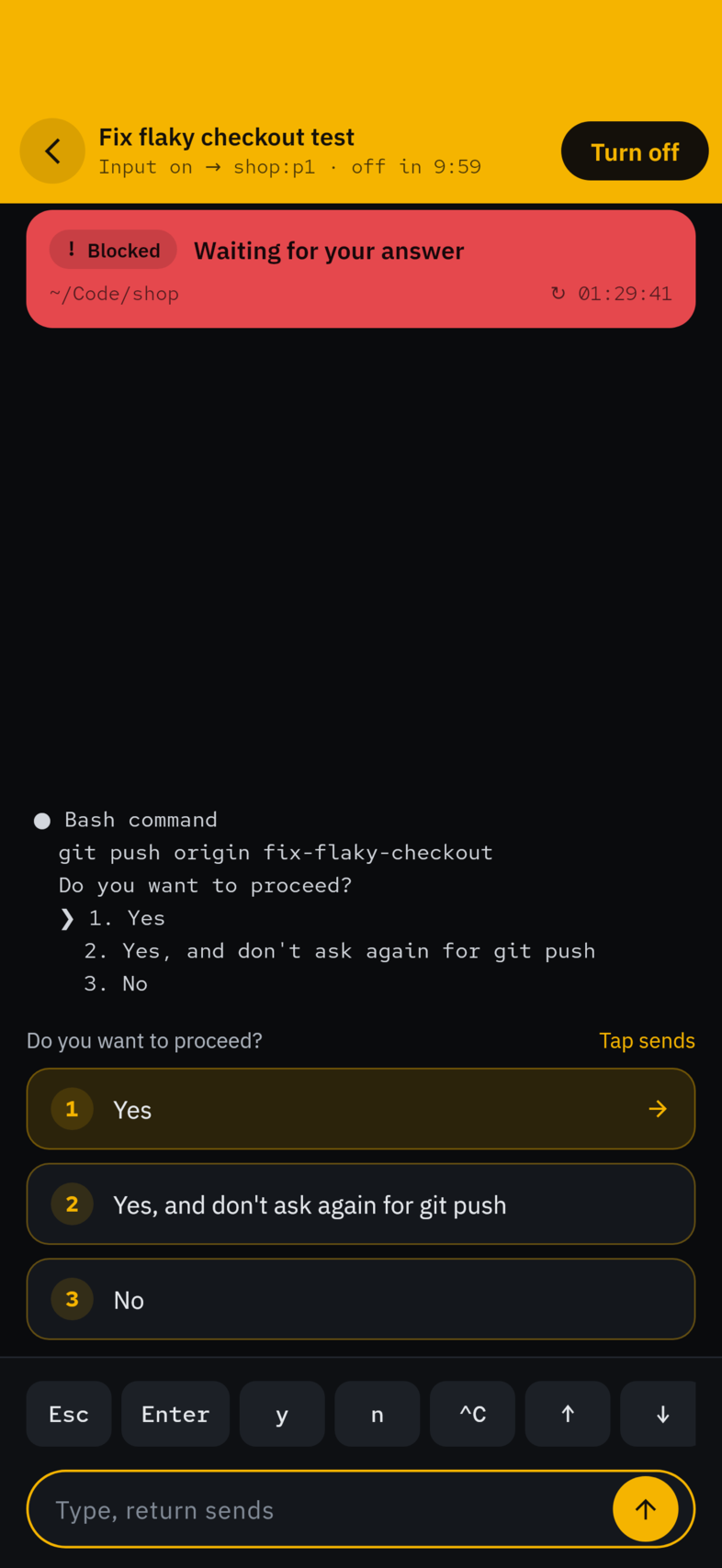
An agent asks to push. You see the question on the red card, turn input on, and tap the answer. Nothing is sent until you say so.
A monitor, not a chat app.
Blocked comes first
Waiting agents rise to the top as a solid red card. Finished ones follow; the rest stay quiet.
Real terminal output
The last lines of each pane in monospace, so you know what happened without the laptop.
Input is a mode
Reading is free. Sending needs a deliberate switch, stays visible, and times out.
Notifies when one waits
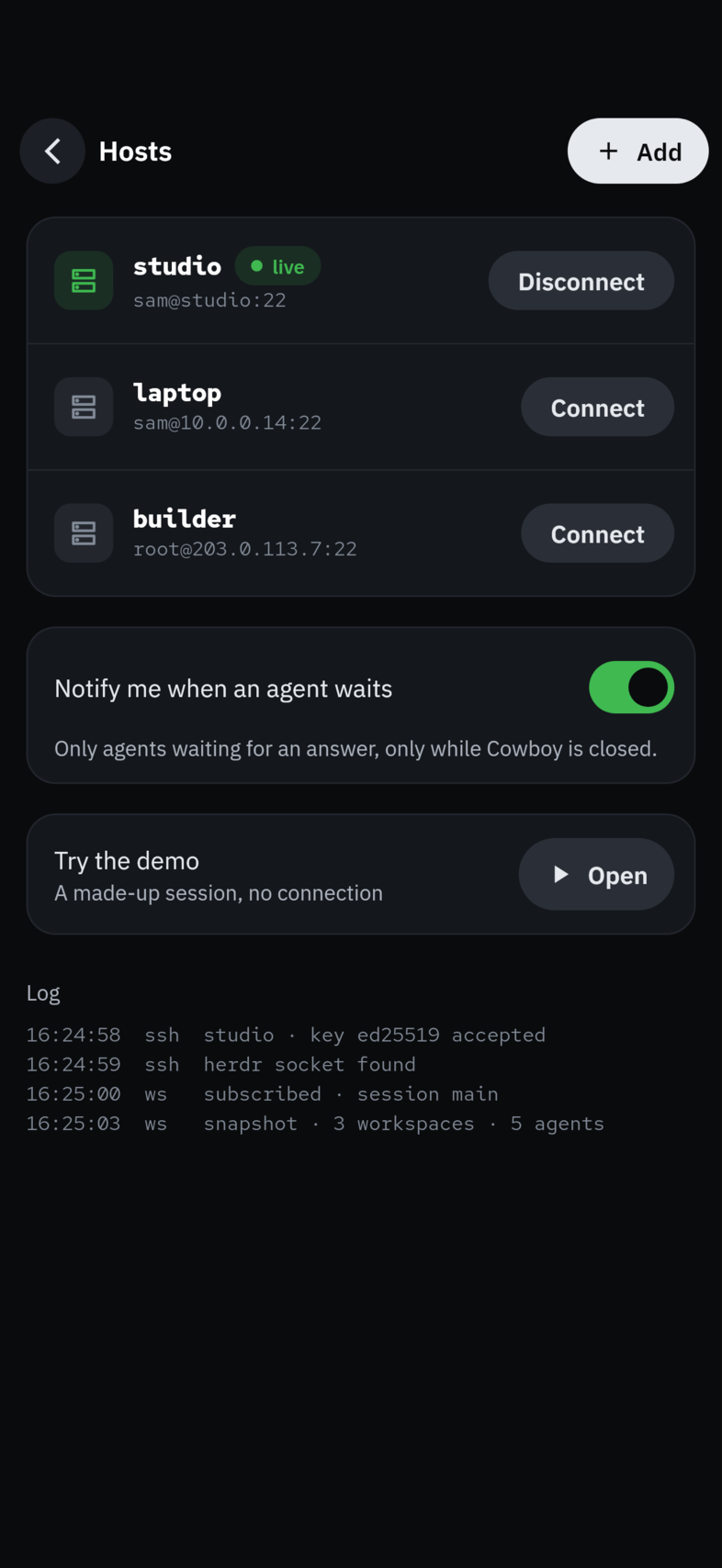
Only for agents waiting on you, only while the app is closed.
SSH or Tailscale
Keys, ssh-agent, or a tailnet browser login. Herdr's socket is found for you.
Try the demo
A made-up session built in, so you can look around before connecting anything.
Your laptop, over ssh. Nothing in between.
Cowboy connects straight to the machine running Herdr and reads each agent's pane. No relay, no account, no copy of your code anywhere else.
Glyph, word and colour, so none relies on colour alone.
Try it for three days. Keep it for $9.99.
One purchase, no subscription. Hosts and connection checks are always free.

Check on the herd. Put the phone away.
On iPhone and Android. Needs Herdr on a machine you can reach over ssh.